AI Texture Generator for 3D Models
Create AI Textures for 3D Models from Text or Images
Generate production-quality PBR textures for your 3D models in seconds with our AI Texture Generator
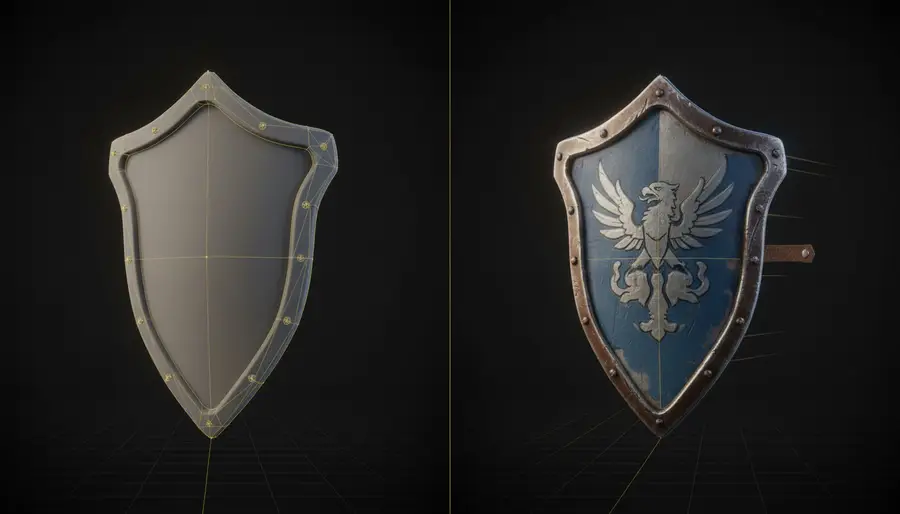
AI Texture Generator Use Cases
Explore how our AI Texture Generator transforms white 3D models into stunning textured assets across different industries and use cases.
Medieval Sword - Text to Texture
Describe the desired texture in natural language and watch as our AI transforms a plain 3D sword into a detailed medieval weapon with realistic metal textures.
"Medieval metal sword with rust effects and battle scratches, aged iron texture with realistic wear patterns"
Fantasy Armor - Image to Texture
Upload a reference image and our AI texture generator will analyze the visual style to apply matching fantasy armor textures to your 3D character model.

More Use Cases
Discover the infinite possibilities of AI texturing across different industries and applications
Game Assets
Quickly texture game props and characters with AI texturing for 3D models
Product Visualization
Create realistic textures for product mockups with AI texturing for 3D models
Stylized Collectibles
Generate unique textures for figurines using our AI Texture Generator
Rapid Concept Texturing
Explore different AI texturing concepts for 3D models in seconds, not hours
Why Choose Our AI Texture Generator?
Reuse Existing 3D Models
Breathe new life into your old models with fresh AI-generated textures from our AI Texture Generator
Better Consistency with Multi-View
Upload reference images from multiple angles for more accurate AI texturing for 3D models
Faster Than Manual Texturing
Our AI Texture Generator creates textures in seconds instead of hours of manual work
Delivery-Ready Output Files
Get GLB, OBJ, MTL, and ZIP files ready for any AI texturing for 3D models workflow
AI Texture Generator Features
Text-to-Texture Generation
Describe your desired texture in natural language and let our AI Texture Generator create it for you
Perfect for AI texturing for 3D models when you have a specific style or material in mind
Image-Guided Texture Generation
Upload a reference image and our AI Texture Generator will generate matching textures
Ideal for AI texturing for 3D models when you have a specific texture or pattern to replicate
Multi-View Control
Upload reference images from 7 different angles for precise AI texturing for 3D models
Best for AI Texture Generator when working with complex models requiring accurate texture placement
PBR Material Output
Our AI Texture Generator generates physically based rendering materials with accurate light reflection
Essential for AI texturing for 3D models in realistic 3D rendering and game development
How Our AI Texture Generator Works - AI Texturing for 3D Models
Upload Your 3D Model
Drag and drop or select your OBJ or GLB file to start AI texturing for 3D models
Choose Generation Mode
Text mode: describe your texture, or Image mode: upload reference images for AI texturing for 3D models
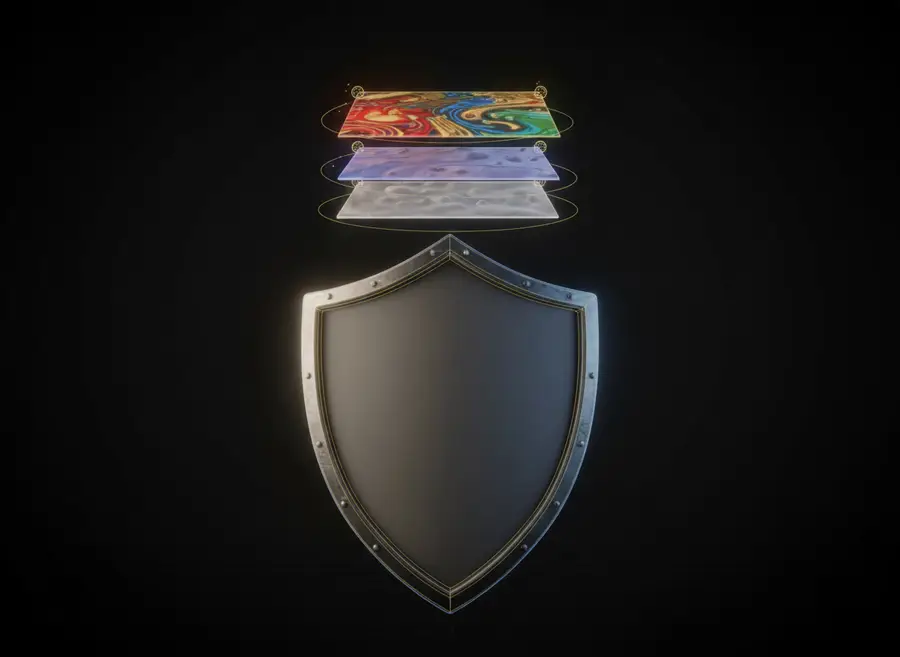
Configure Options
Enable PBR materials for realistic AI texturing for 3D models rendering
Generate & Download
Get your textured model from our AI Texture Generator in seconds, download in multiple formats
AI Texture Generator Multi-View Upload Guide
Upload reference images from different angles for better AI texturing for 3D models accuracy
Supported Angles
Left View
Right View
Back View
Top View
Bottom View
Left Front 45°
Right Front 45°
Priority Views
Front and side views are most important for AI texturing for 3D models. Add top/bottom for complex models.
We recommend using 2-4 views for best results with our AI Texture Generator. More views don't always mean better quality.
AI Texture Generator Supported Formats
Input Formats for AI Texturing for 3D Models
obj
OBJ - Universal 3D model format for AI texturing for 3D models
glb
GLB - Compact binary 3D format for AI Texture Generator
Output Formats
glb
GLB - Compact binary 3D format for AI Texture Generator
obj
OBJ - Universal 3D model format for AI texturing for 3D models
mtl
MTL - Material definition file
texture Image
Texture Image - Generated texture map from AI Texture Generator
zip
ZIP - All files packaged together
File Requirements
Model format: OBJ, GLB
Image size: ≤ 10MB
Image formats: JPG, PNG
Image dimensions: 128px-4095px per side
Multi-view total: up to 8MB
AI Texture Generator Credits & Limits
AI Texturing for 3D Models Pricing
Limits
Model format: OBJ, GLB
Reference image size: ≤ 10MB
Get Your AI Texture Generator Results
Once AI texturing for 3D models generation is complete, you'll receive:
Texture preview image from AI Texture Generator
Downloadable file list
Multiple format options for AI texturing for 3D models
Import directly to Blender, Unreal, Unity, and other 3D software for AI texturing for 3D models
AI Texture Generator FAQ
What is AI texture generation?
What 3D file formats are supported?
How does multi-view texturing work?
What is PBR texture generation?
How long does AI texturing for 3D models take?
How many credits does AI texturing for 3D models cost?
Can I use AI-generated textures commercially?
What if I'm not satisfied with the AI texturing for 3D models result?
AI 3D Tools
AI 3D Character Animation Generator
Upload your 3D character, let AI automatically rig it, then generate character motion in one seamless workflow. Preview the animation online and export an animated FBX in minutes.
AI Auto Rigging
Upload an FBX or GLB character and automatically generate bones and skin weights with AI. Optionally add a preset motion before generating, then preview or download your rigged model.
Text to 3D Motion
Describe a character action in plain language and generate reusable 3D motion with AI. Preview the animation online and export an animated FBX for your 3D workflow.
AI 3D Retopology
Upload any OBJ or GLB model and let AI rebuild the topology with fewer, cleaner polygons. Choose triangle or quad-oriented output, pick a detail level, and download a production-ready mesh in seconds.
AI UV Unwrapping
Upload an OBJ, GLB, or FBX model and let AI unwrap the UVs for you. No manual seam placement, no texture stretching — get a clean, texture-ready UV map and downloadable result files in seconds, right in your browser.
3D Model Splitter
Upload your 3D model and let AI automatically separate it into individual parts. Extract characters, accessories, objects, and components for easier editing, customization, 3D printing, and game workflows.
Photo to 3D Avatar
Make Your Custom 3D Avatar from a Single Photo
Custom 3D Figurine from Photo
Upload one photo and turn it into a custom 3D figurine that keeps the person, pose, outfit, and framing recognizable.
Sketch to 3D Model
Upload a drawing, describe the materials, and get a clean textured 3D model in minutes — no 3D modeling skills required.


